Dear ImGui Bundle includes specialized tools for image inspection and debugging.
ImmVision - Image Viewer Widget
Introduction
ImmVision provides an interactive image viewer widget for ImGui applications, with zoom, pan, pixel inspection, and colormap support. Useful for building image processing tools and debugging computer vision pipelines from within your application.
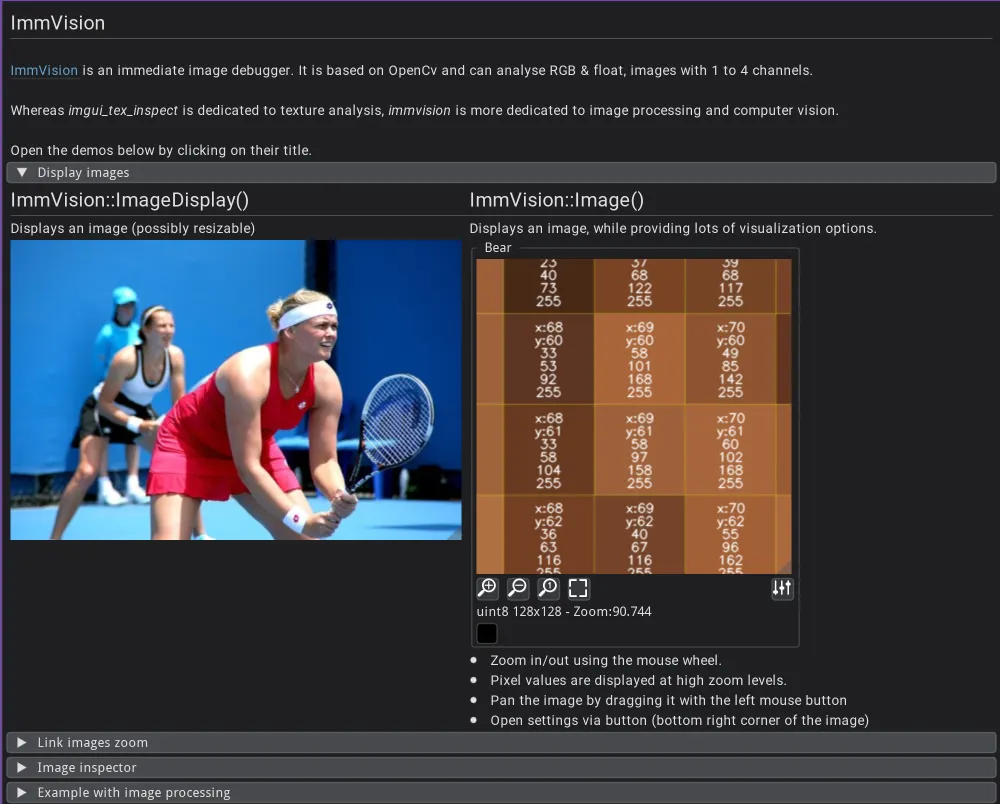
ImmVision: interactive image display with zoom, pan, and pixel inspection.
Quick example:
from imgui_bundle import immvision, immapp
import numpy as np

immvision.use_rgb_color_order()

image = np.zeros((100, 100, 3), dtype=np.uint8)
params = immvision.ImageParams()

def gui():
    # Simple display
    immvision.image_display("Simple", image)

    # Full interactivity (zoom, pan, pixel inspection)
    immvision.image("Interactive", image, params)

immapp.run(gui)
#include "immapp/immapp.h"
#include "immvision/immvision.h"
#include <opencv2/core.hpp>
cv::Mat image;
ImmVision::ImageParams params;
void gui() {
// Simple display
ImmVision::ImageDisplay("Simple", image);
// Full interactivity
ImmVision::Image("Interactive", image, ¶ms);
}
int main() {
ImmVision::UseBgrColorOrder();
image = cv::Mat::zeros(100, 100, CV_8UC3);
ImmApp::Run(gui);
return 0;
}Features:
Zoom in/out using the mouse wheel
Pixel values displayed at high zoom levels
Pan by dragging with left mouse button
Settings panel for colormap, channels, etc.
Full Demo
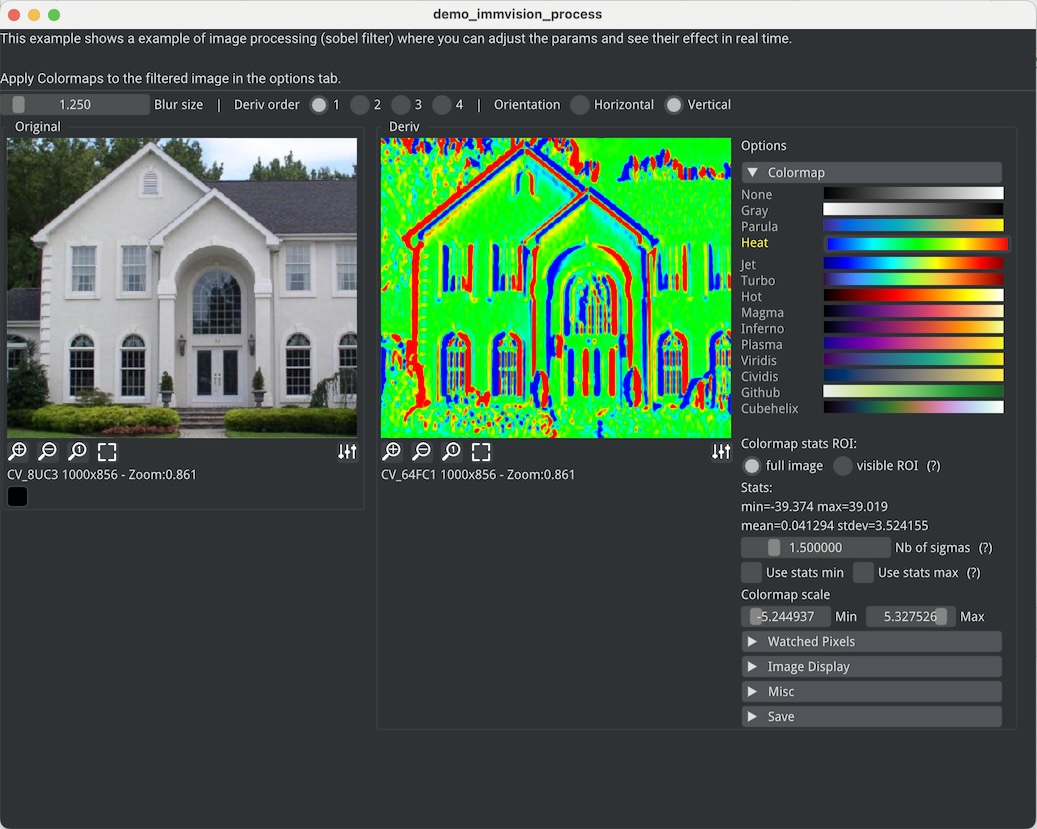
Click the image to run a launcher that includes several examples.
| Demo | Python | C++ |
|---|---|---|
| Display Image | demo | demo |
| Link Images Zoom/Pan | demo | demo |
| Image Inspector | demo | demo |
| Image Processing | demo | demo |
Documented APIs
Python: immvision.pyi
C++: image.h | inspector.h
ImmDebug — Standalone Image Debugger
ImmDebug a tool from ImmVision lets you visually inspect images from any running program — during execution or even after it finishes (post-mortem). Add one-line calls to send images to a standalone viewer with zoom, pan, pixel inspection, and colormaps.
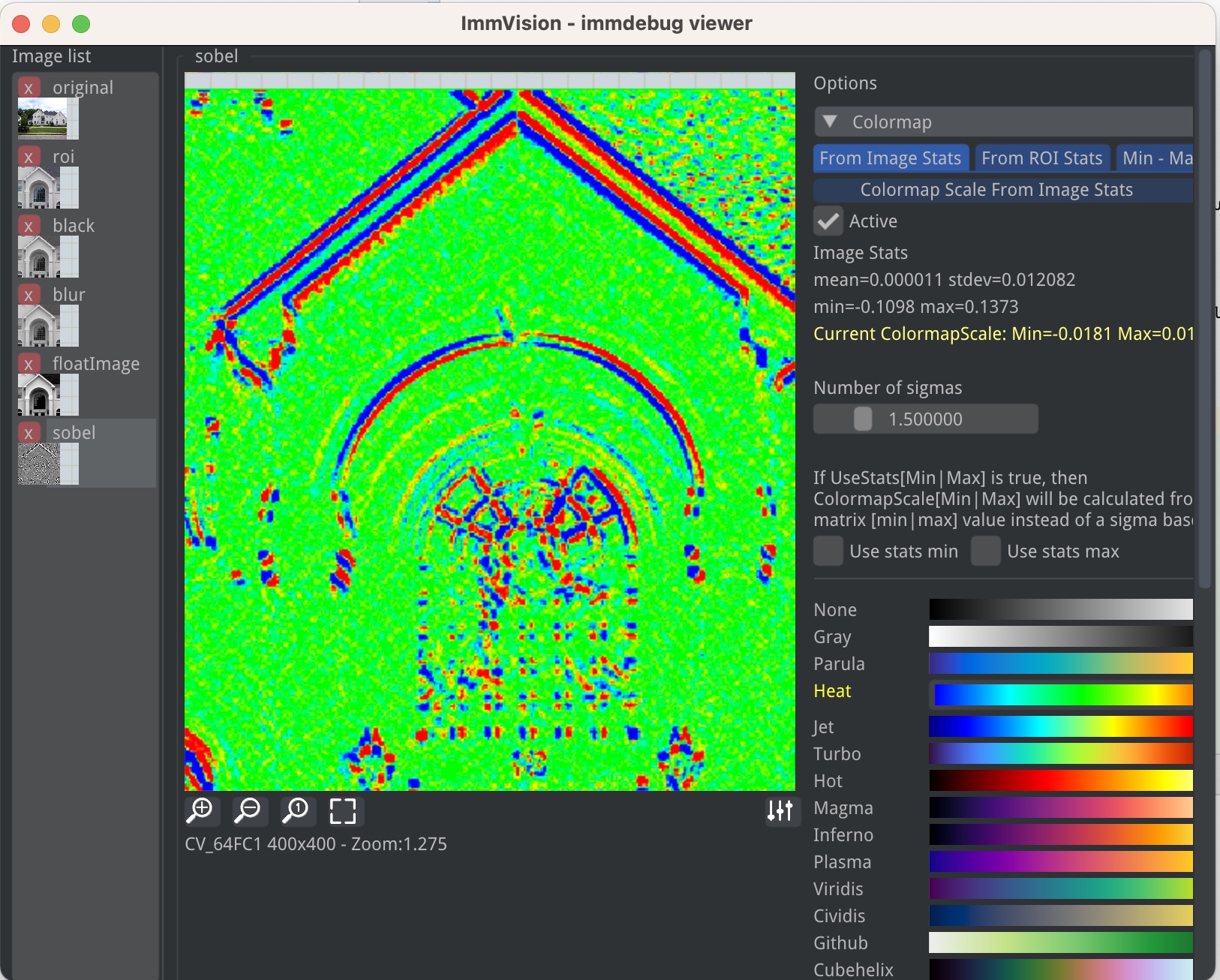
The immdebug viewer displaying images sent from a running program.
Python
Install from PyPI:
pip install immdebugStart the viewer in a terminal, then send images from your code:
# In a terminal: immdebug-viewer

import numpy as np
import cv2
from immdebug import immdebug

image = cv2.imread("photo.jpg")
gray = cv2.cvtColor(image, cv2.COLOR_BGR2GRAY)
edges = cv2.Canny(gray, 100, 200)

immdebug(image, "image")  # inspect the original image
immdebug(gray, "gray")    # inspect different steps of your processing pipeline
immdebug(edges, "edges")
Works with OpenCV, PIL, matplotlib, or any numpy array. See the immdebug PyPI package for full API documentation.
C++
Drop 4 files from src/immdebug into your project (only OpenCV required):
#include "immdebug/immdebug.h"

cv::Mat image = cv::imread("photo.jpg");
ImmVision::ImmDebug(image, "original");
Build and run the C++ viewer separately — see the immvision README for instructions.
Features
Non-blocking — just writes a file and returns immediately
Cross-language — C++ and Python clients use the same protocol, both work with either viewer
Post-mortem — images persist in the temp directory for 1 hour; start the viewer after your script finishes
Single instance — re-launching the viewer brings the existing instance to the top
imgui_tex_inspect - Texture Inspector
Introduction
imgui_tex_inspect is a texture inspector tool for debugging GPU textures. It displays textures with zoom, pan, and detailed pixel information.
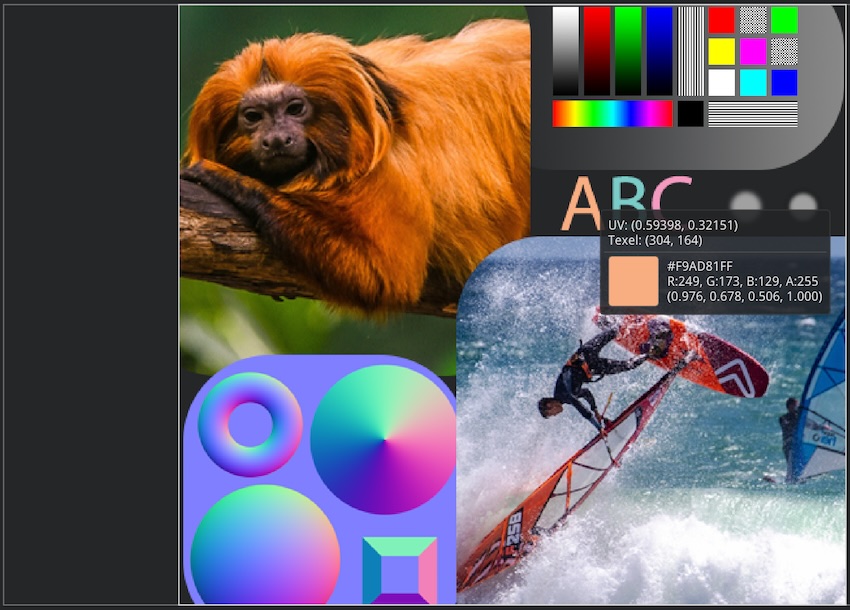
imgui_tex_inspect: GPU texture inspection with zoom and pixel details.
Full Demo
Demo Window | Python | C++
Simple Example | Python | C++
Documented APIs
Python: imgui
_tex _inspect .pyi C++: imgui_tex_inspect.h