Dear ImGui Bundle includes two powerful plotting libraries for 2D and 3D visualization.
ImPlot - 2D Plotting
Introduction
ImPlot adds interactive 2D plots to your GUI: line charts, bar charts, scatter plots, heatmaps, and more. Plots support zooming, panning, and hover inspection.
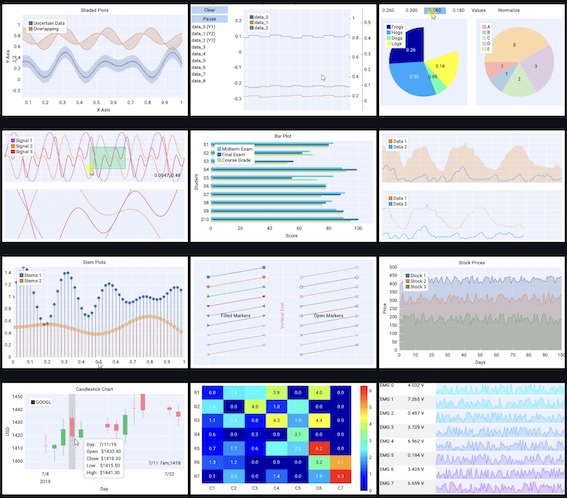
Some of the many plot types supported by ImPlot.
Quick example:
from imgui_bundle import implot, immapp
import numpy as np

x = np.arange(0, 10, 0.1)
y = np.sin(x)

def gui():
    if implot.begin_plot("My Plot"):
        implot.plot_line("sin(x)", x, y)
        implot.end_plot()

immapp.run(gui, with_implot=True)#include "immapp/immapp.h"
#include "implot/implot.h"
#include <cmath>
#include <vector>
std::vector<double> x, y;
void gui() {
if (ImPlot::BeginPlot("My Plot")) {
ImPlot::PlotLine("sin(x)", x.data(), y.data(), x.size());
ImPlot::EndPlot();
}
}
int main() {
for (double i = 0; i < 10; i += 0.1) {
x.push_back(i);
y.push_back(std::sin(i));
}
HelloImGui::RunnerParams runner_params;
runner_params.callbacks.ShowGui = gui;
ImmApp::AddOnsParams addons;
addons.withImplot = true;
ImmApp::Run(runner_params, addons);
return 0;
}Full Demo
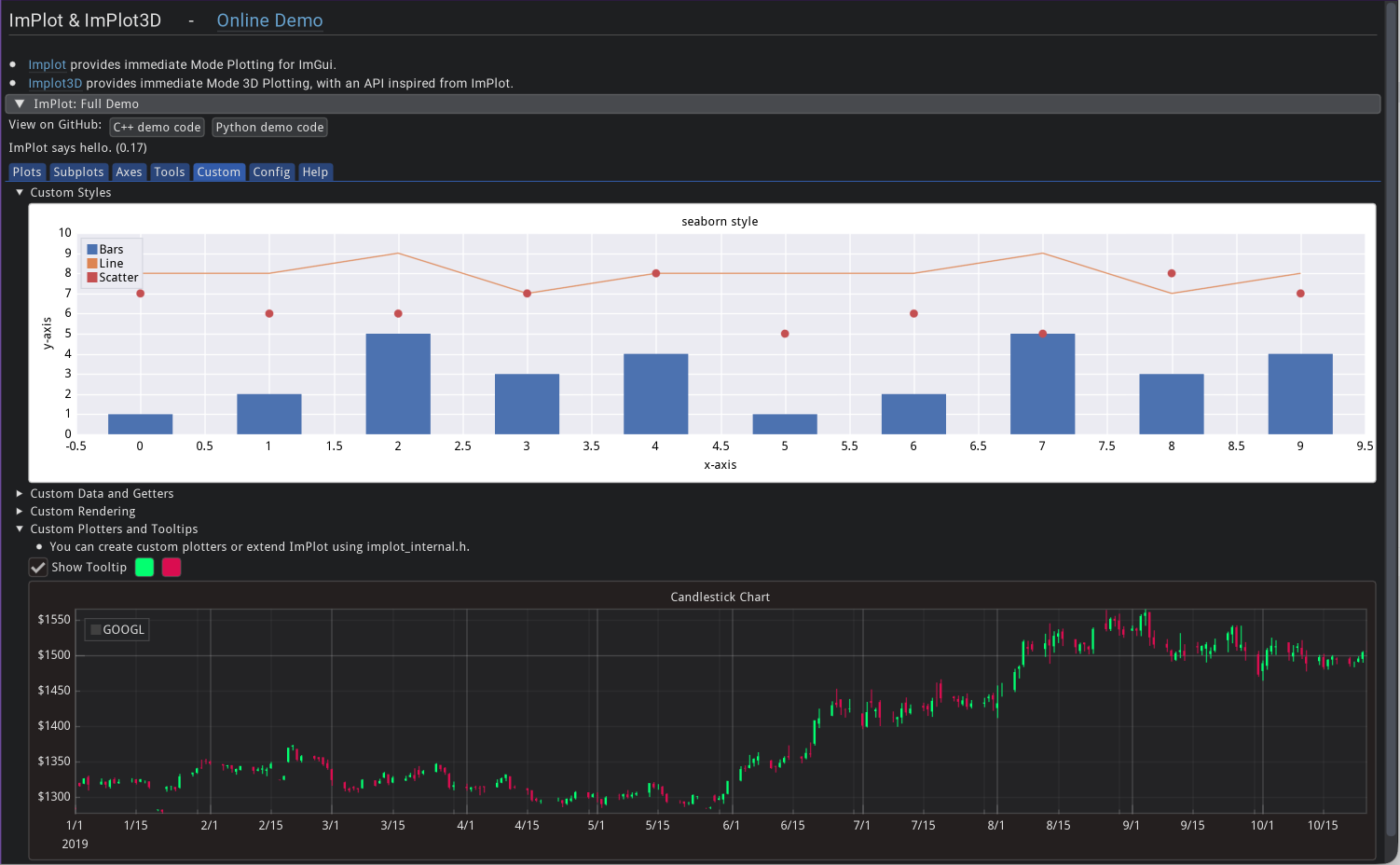
ImPlot demo showcasing various plot types and features.
Python demo code: implot_demo.py
C++ demo code: implot_demo.cpp
Documented APIs
Python API reference: implot/__init__.pyi
C++ API reference: implot.h
ImPlot3D - 3D Plotting
Introduction
ImPlot3D extends ImPlot with 3D visualization capabilities. Create interactive 3D line plots, scatter plots, surface plots, and more with rotation, zoom, and pan controls.
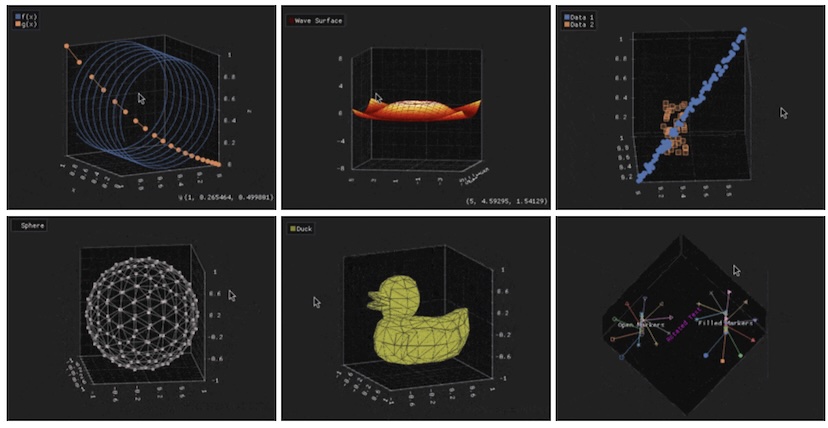
Some of the plot types supported by ImPlot3D.
Quick example:
from imgui_bundle import implot3d, immapp, hello_imgui
import numpy as np

t = np.linspace(0, 10, 100)
x, y, z = np.cos(t), np.sin(t), t

def gui():
    if implot3d.begin_plot("3D Helix", hello_imgui.em_to_vec2(30, 30)):
        implot3d.setup_axes("X", "Y", "Z")
        implot3d.plot_line("helix", x, y, z)
        implot3d.end_plot()

immapp.run(gui, with_implot3d=True)#include "immapp/immapp.h"
#include "implot3d/implot3d.h"
#include <vector>
#include <cmath>
std::vector<double> x, y, z;
void gui() {
if (ImPlot3D::BeginPlot("3D Helix")) {
ImPlot3D::SetupAxes("X", "Y", "Z");
ImPlot3D::PlotLine("helix", x.data(), y.data(), z.data(), x.size());
ImPlot3D::EndPlot();
}
}
int main() {
for (double t = 0; t < 10; t += 0.1) {
x.push_back(std::cos(t));
y.push_back(std::sin(t));
z.push_back(t);
}
HelloImGui::RunnerParams runner_params;
runner_params.callbacks.ShowGui = gui;
ImmApp::AddOnsParams addons;
addons.withImplot3d = true;
ImmApp::Run(runner_params, addons);
return 0;
}Full Demo
The full demo for ImPlot3D is available online together with ImPlot’s full demo.
Python demo code: implot3d_demo.py
C++ demo code: implot3d_demo.cpp
Documented APIs
Python API reference: implot3d
/ _ _init _ _ .pyi C++ API reference: implot3d.h