Examples in the interactive explorer
Below are simple example applications available in the Dear ImGui Bundle Explorer, in the “Demo Apps” tab.
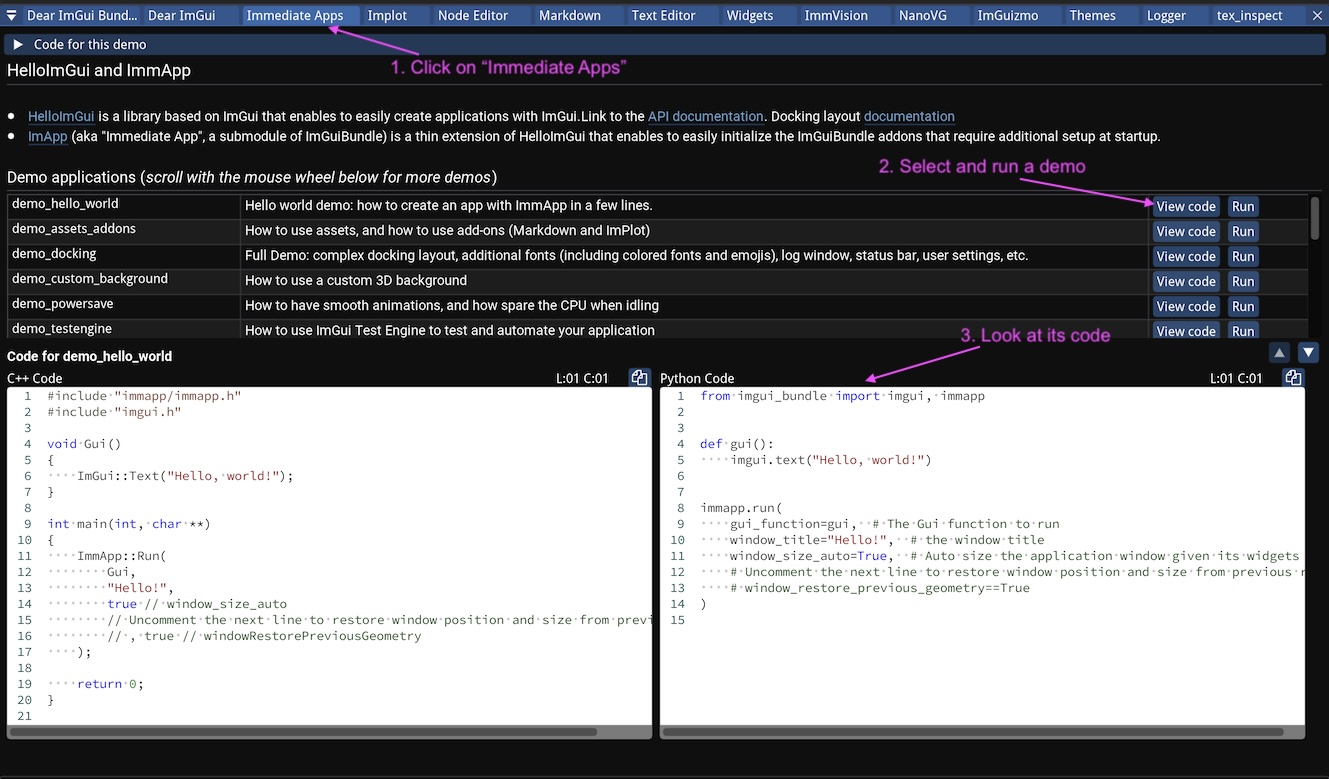
Inside the manual, click the “Demo Apps” tab, select a demo, run it and look at its source code.
Complex layouts with docking windows
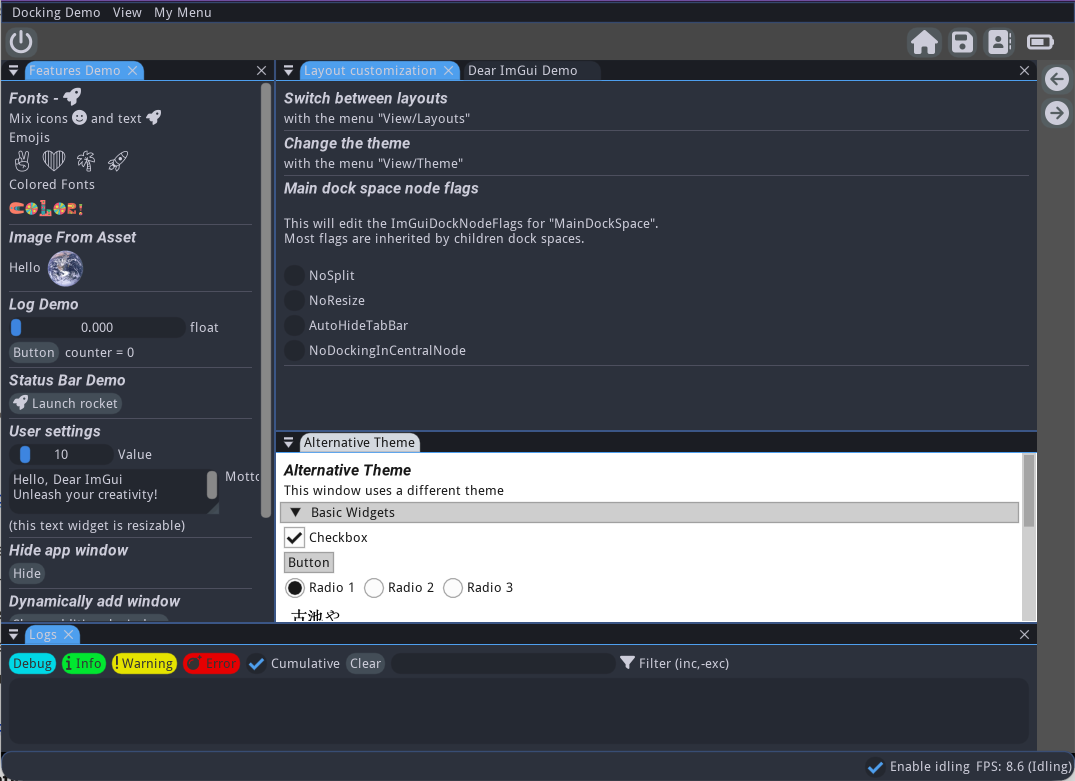
A complex GUI app with a docking layout, and several possible arrangements
This demonstration showcases how to:
set up a complex docking layouts (with several possible layouts)
use the status bar
use default menus (App and view menu), and how to customize them
display a log window
load additional fonts
use a specific application state (instead of using static variables)
save some additional user settings within imgui ini file
Its source code is heavily documented and should be self-explanatory.
Custom 3D Background
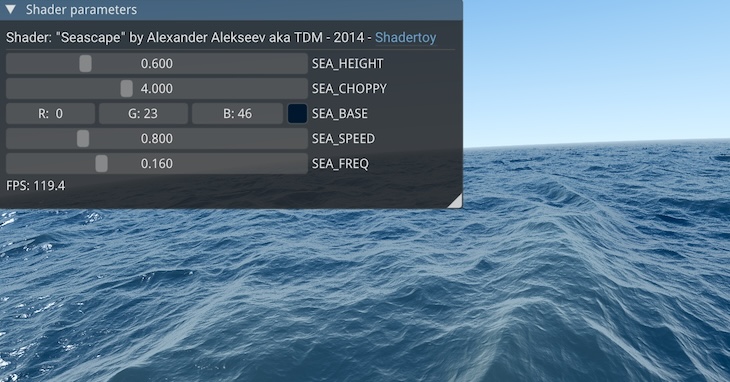
A custom 3D scene rendered in the background of an ImGui application
This demonstration showcases how to:
Display a 3D scene in the background via the callback
runnerParams.callbacks.CustomBackgroundLoad and compile a shader
Adjust uniforms in the GUI
Its source code is heavily documented and should be self-explanatory.
Display & analyze images with ImmVision
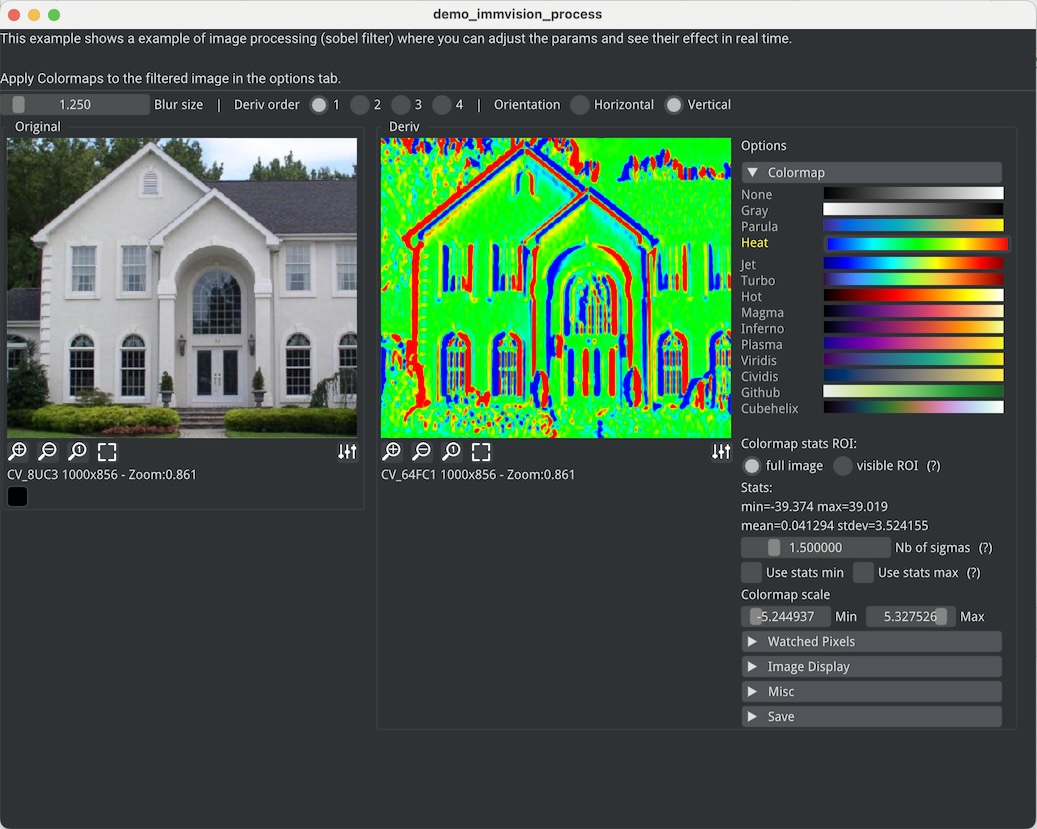
ImmVision in action
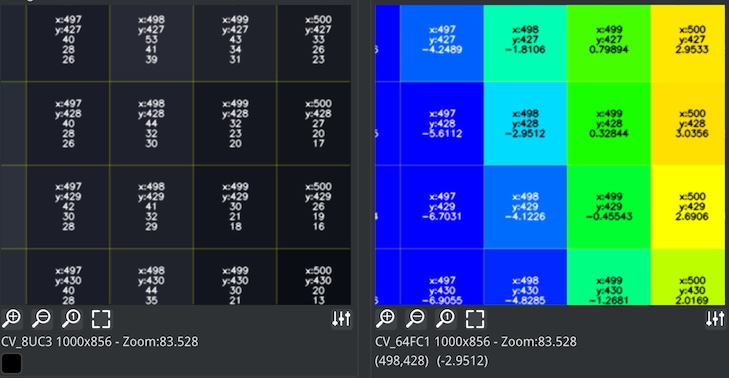
Zooming on the images (with the mouse wheel) to display pixel values
ImmVision is an immediate image debugger which can display multiple kinds of images (RGB, RGBA, float, etc.), zoom to examine precise pixel values, display float images with a versatile colormap, etc.
This demonstration showcases how to:
display two versions of an image, before after an image processing pipeline
zoom on specific ROI of those images to see pixel values
play with the parameter of the image processing pipeline
Its source code is heavily documented and should be self-explanatory.
Test & Automation with ImGui Test Engine
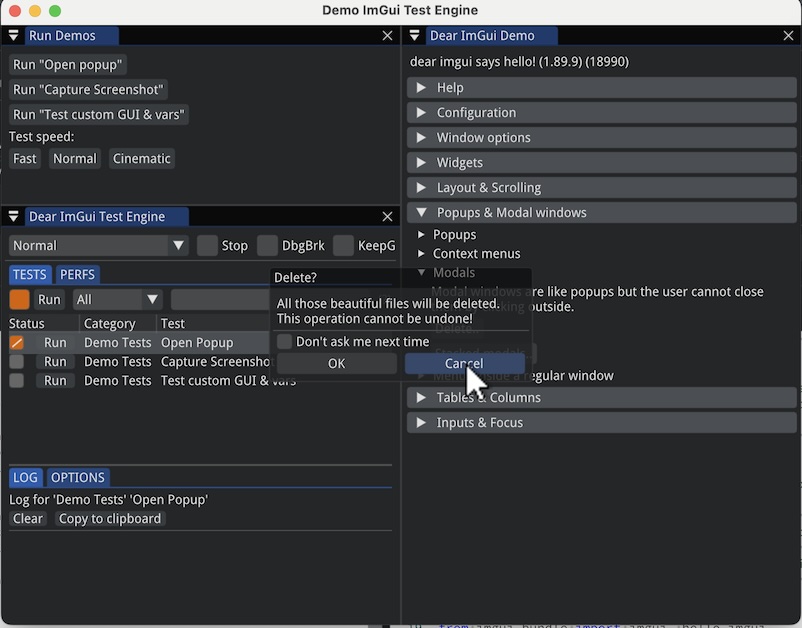
ImGui Test Engine is a Tests & Automation Engine for Dear ImGui.
This demo source code is heavily documented and should be self-explanatory. It shows how to:
enable ImGui Test Engine via RunnerParams.use_imgui_test_engine
define a callback where the tests are registered (runner_params.callbacks.register_tests)
create tests, and:
automate actions using “named references” (see Named References)
display an optional custom GUI for a test
manipulate custom variables
check that simulated actions do modify those variables
Example Applications Gallery
More examples in the Gallery. Add yours!
4K4D
A research project aimed for CVPR 2024, using python bindings (ImGui Bundle).
@inproceedings{xu20244k4d,
  title={4K4D: Real-Time 4D View Synthesis at 4K Resolution},
  author={Xu, Zhen and Peng, Sida and Lin, Haotong and He, Guangzhao and Sun, Jiaming and Shen, Yujun and Bao, Hujun and Zhou, Xiaowei},
  booktitle={CVPR},
  year={2024}
}
4K4D: Real-Time 4D View Synthesis at 4K Resolution
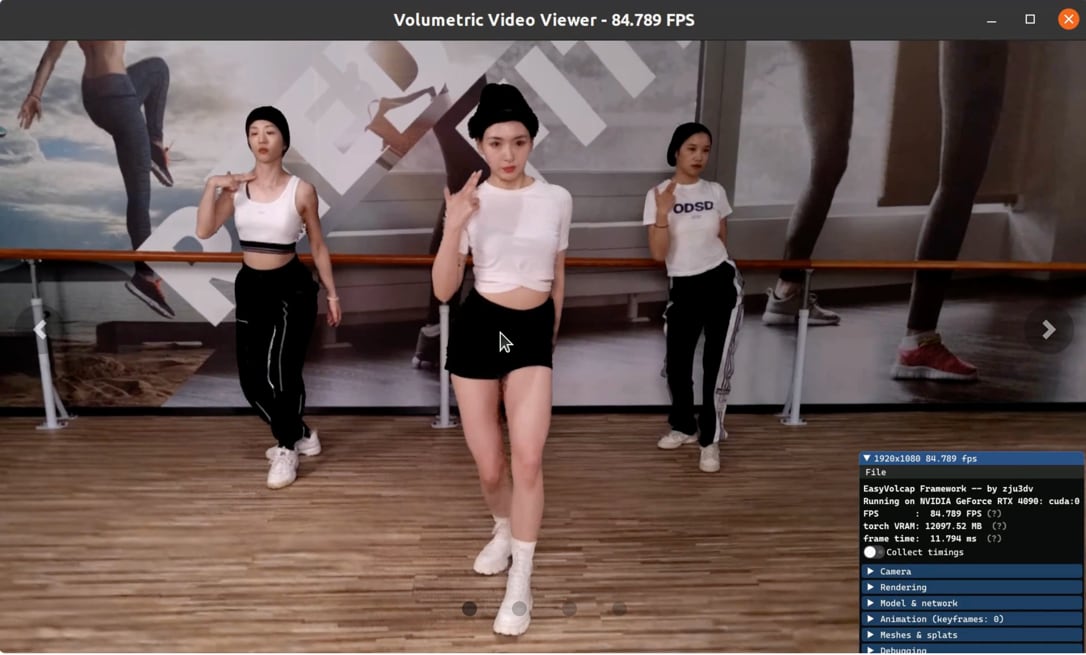
A volumetric video, showing an ImGui interface to control the rendering parameters.
HDRview
HDRview is a research-oriented image viewer with an emphasis on examining and comparing high-dynamic range (HDR) images.
It is developed by Wojciech Jarosz and is built using Hello ImGui (which is included in Dear ImGui Bundle), in C++. It runs on Windows, Linux, macOS, iOS, and on the web via emscripten!
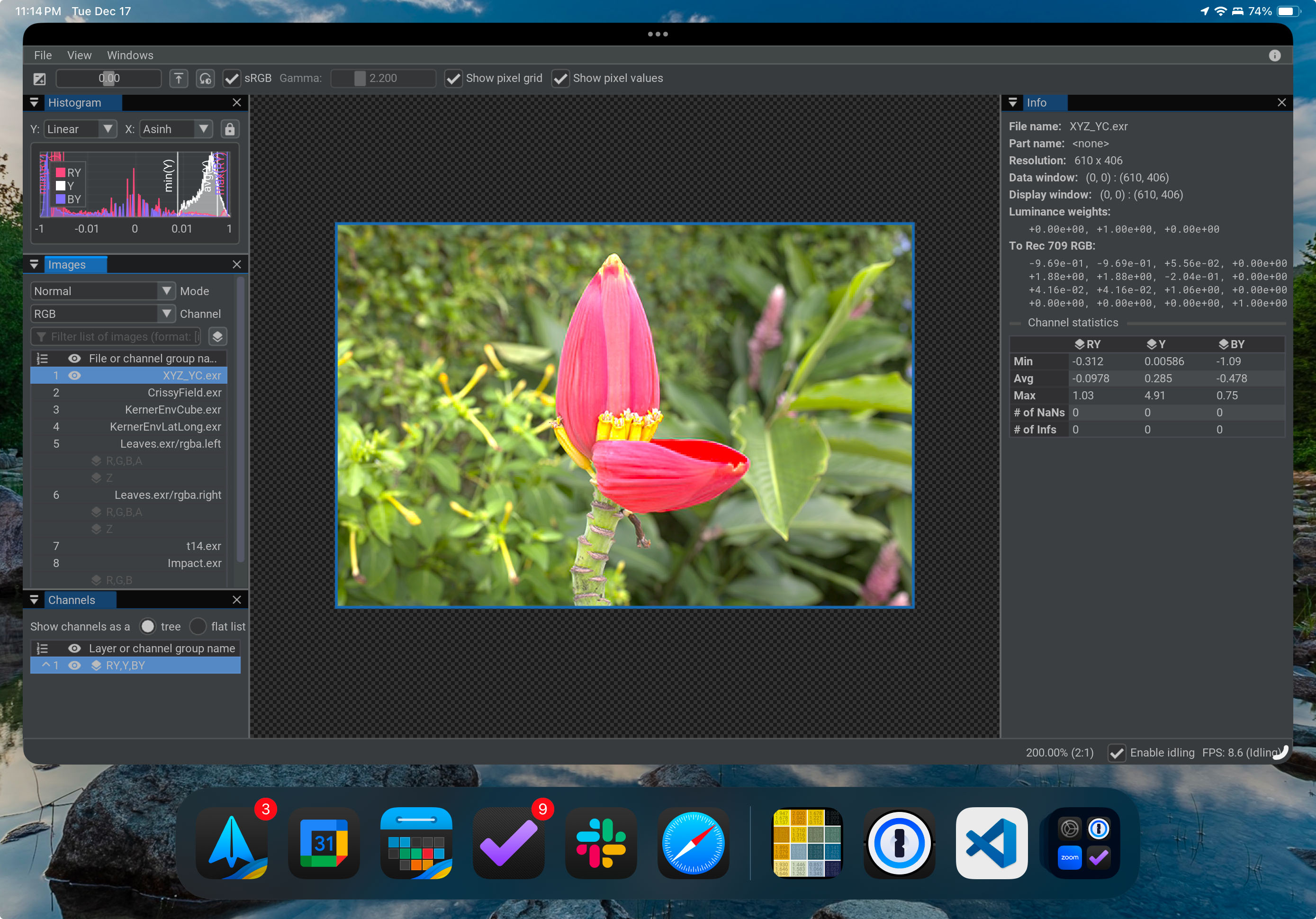
HDRview running on an iPad as a webapp, viewing a luminance-chroma EXR image stored using XYZ primaries with chroma subsampling.
Access HDRview online: https://